

M2 Login for Secure Member Account Access
Table of Contents
Login Requirements
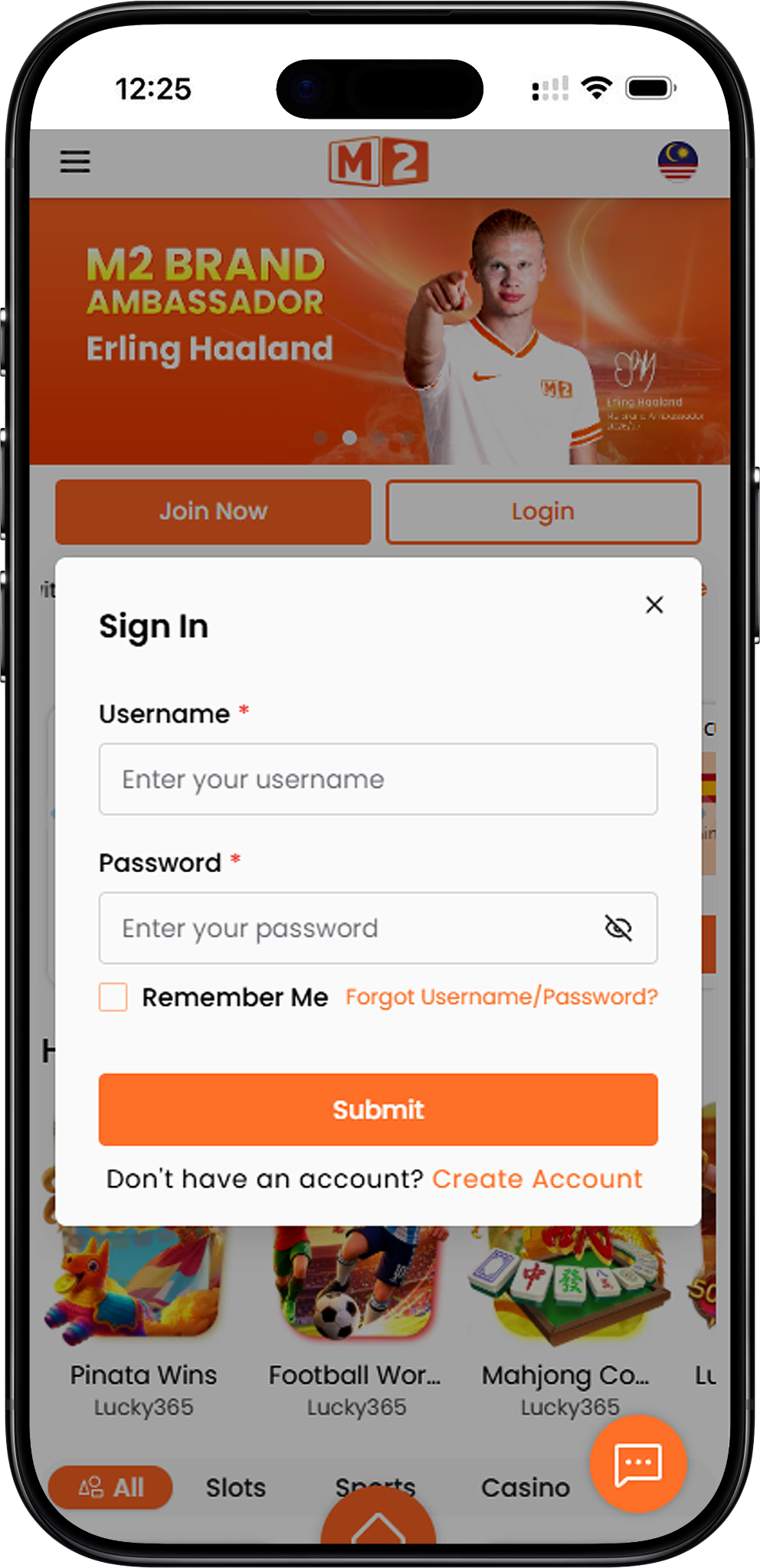
Use Your Registered Account Details
M2 allows registered members to sign in with the username and password created during account registration. Make sure both details are entered correctly before submitting the login form.
Access Through a Supported Device
Members can open the login page through supported browsers on Android phones, iPhones, tablets, Windows computers, and macOS devices. A stable internet connection can help prevent interruptions during sign in.
M2 Login Steps
Step 1 – Open the Login Page
Visit Login (/en/login – Internal Link) to open the official sign in form. Members may also begin from Home (/en – Internal Link) and select the login option. The official platform is available at m2mys.com.
Step 2 – Enter Your Username
Type the username registered with your account. Check for spelling errors, unnecessary spaces, or incorrect letter case before continuing.
Step 3 – Enter Your Password
Enter your password in the required field. Use the visibility icon when needed to confirm the characters while ensuring that no one else can view your login details.
Step 4 – Choose Remember Me When Appropriate
Select Remember Me only on a private and trusted device. Avoid using this feature on shared or public computers because saved login information may expose your account to other users.
Step 5 – Submit Your Login
Click Submit after reviewing your username and password. Once access is confirmed, members can continue to Games (/en/games – Internal Link), Deposit (/en/deposit – Internal Link), Withdrawal (/en/withdrawal – Internal Link), or other available account services.
Remember Me and Account Security
When to Use Remember Me
The Remember Me option can make future access more convenient by retaining selected login information on the same device. It should only be used when the device is personally controlled and protected by a password or biometric lock.
Protect Your Login Credentials
Do not share your username, password, or verification details with another person. Use a strong and unique password, sign out after each session on shared devices, and avoid saving credentials in unfamiliar browsers.
Forgot Username or Password
Recover Forgotten Account Details
Select Forgot Username/Password on the sign in form when account details cannot be remembered. Follow the available recovery instructions and provide the requested information to confirm account ownership.
Create a New Account When Necessary
Users who have not created an account can visit Register (/en/register – Internal Link) to complete sign up with the required account and verification details. Do not create duplicate accounts when an existing account can still be recovered.
Login Troubleshooting Tips
Check Your Username and Password
Confirm that the correct username is being used and that Caps Lock is not affecting the password. Re-enter both details manually instead of relying on outdated browser autofill information.
Refresh the Browser Session
If the sign in form does not respond, refresh the page, clear outdated browser cache, or reopen the browser. Members can review Download (/en/download – Internal Link) for supported access instructions when browser issues continue.
Review Platform Information
Visit About Us (/en/about-us – Internal Link) for general platform details and Terms and Conditions (/en/terms-and-conditions – Internal Link) for account responsibilities, access rules, and applicable member policies.
Frequently Asked Questions
What details are required to sign in?
A registered username and password are required to access a member account.
Should I enable Remember Me?
Enable it only on a secure personal device. Leave it unchecked when using a shared, workplace, or public device.
What should I do if my password is incorrect?
Check the password carefully and use the recovery option if it cannot be remembered. Repeated guesses should be avoided because they may temporarily restrict account access.
Can I log in from a mobile device?
Yes. The sign in page can be accessed through compatible mobile browsers on supported Android and iOS devices.
Where can I find help with account access?
Review the recovery option on the login form and refer to the platform information pages for additional account guidance.